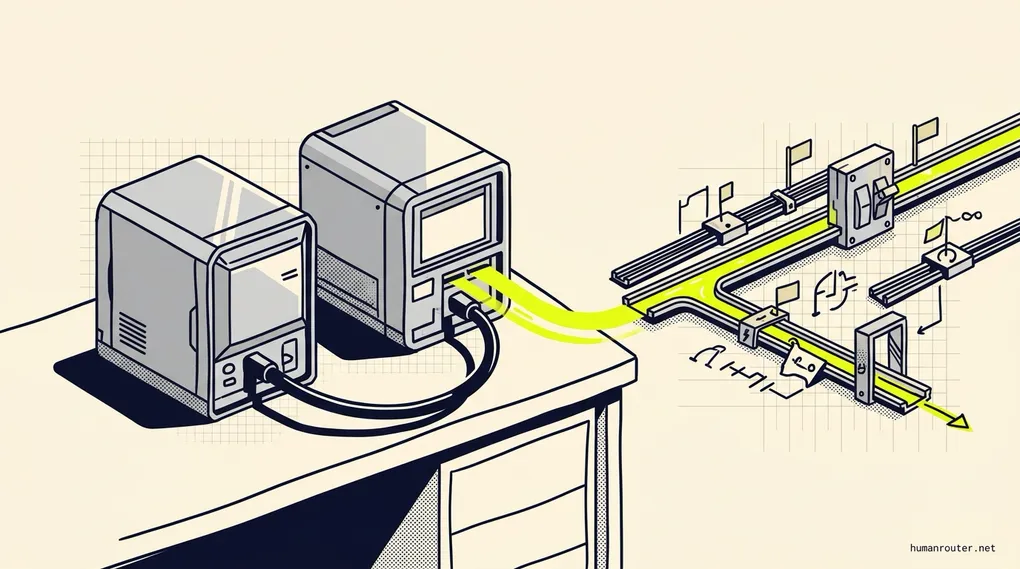
I connected 2 DGX Sparks to run DeepSeek v4 Flash. Here's my experience within the first 24 hours.
About 3 weeks ago, I bought a second ASUS GX10 (it’s the same machine as a DGX Spark).
It stayed in the box on the floor next to my desk.
I had been wanting to connect it to my first GX10 so I could run a larger AI model at home. Client work kept getting in the way. Every time I looked at the box, I thought, “I’ll get to it this weekend.”
You know how that goes.
This weekend I finally had time. The timing could not have been better because DeepSeek had released V4 Flash as an open-weights model. Open weights means you can download the model and run it on your own machines. You do not have to send every request to another company’s computers.
I booted the new GX10, installed Tailscale, and gave Codex on my Mac mini access to it. Then I sent Codex MiaAI-Lab’s setup recipe.
About 1 hour later, it was done.
Codex copied the working setup from my first GX10, connected the 2 machines, installed DeepSeek, and tested the full system. I watched both machines restart once during the process, which made me slightly nervous. They came back online and the setup continued.
It was one of the smoothest hardware projects I’ve done. I plugged in the cable and gave Codex access. It handled almost everything else.
The installation was cool. What happened after the installation was much more useful.
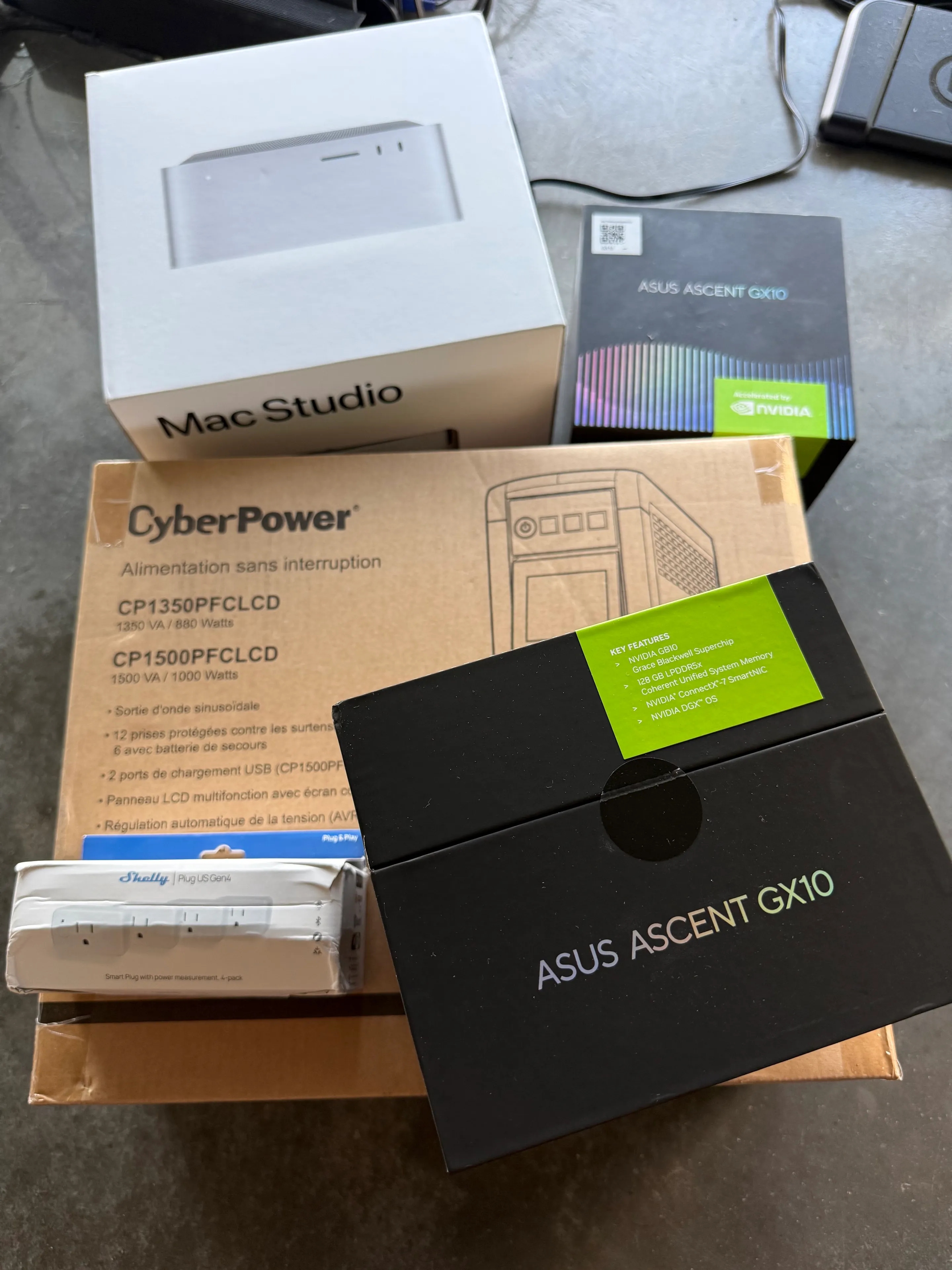
The hardware before I started: a second GX10, a 1,000-watt UPS, smart plugs, and the Mac Studio.
The 7 questions I wanted to answer
This weekend turned into 7 connected experiments:
- Can 2 GX10s run DeepSeek V4 Flash as 1 useful system?
- Can DeepSeek become the brain of a Hermes agent I use all day?
- Does a 1-million-token context window change how a conversation feels?
- Can Qwen give a text-only DeepSeek model the ability to see images?
- How does DeepSeek compare with Qwen on real coding work?
- How much does a custom Pi harness improve the result?
- Can
/goalturn the whole setup into an overnight coding system?
Those questions took me from hardware, to Hermes, to Pi, to coding benchmarks. By the end, I had also changed which model I plan to use for most of my local work.
What is an ASUS GX10?
The ASUS GX10 is a small desktop AI computer. It uses the same NVIDIA GB10 chip family as the DGX Spark. Each one has 128GB of memory that the processor and graphics chip can share.
You can also connect 2 GX10s with a very fast cable. That gives the model access to 256GB of combined memory. Think of it as putting 2 desks next to each other so one person can spread a very large project across both.
The machines are compact and stackable. ASUS says its cooling system gives 1.6 times more thermal coverage than similar compact systems. It has 2 large fans, 5 heat pipes, and wide cooling fins.
I also liked the price. When I checked while writing this, the ASUS GX10 started at $3,999. NVIDIA listed its DGX Spark at $4,699. Prices change, so check both before you buy.
I bought the 1TB GX10. That is enough for how I work because I only keep the model I am using on the machine. If you want a large collection of models available at the same time, you will probably want more storage.
Do you need 2 of these machines? Probably not. This is still enthusiast hardware. I wanted the larger memory because I spend a lot of time testing local AI for my own work and for clients who cannot send sensitive data to the cloud.
The recipe that made it possible
I want to give proper credit to MiaAI-Lab and the people who shared their work on X.
Getting a model this large to run across 2 small computers is not a normal install. Both machines need the same model files and software. They also need to start in the correct order and stay in sync while the model answers.
MiaAI-Lab turned that difficult process into a recipe that other people can follow. Their repository also credits Keys, Tony, Rafael Caricio, Fraser Price, Anemll, and the teams behind vLLM, FlashInfer, NVIDIA’s tools, and DeepSeek.
I used their work instead of trying to invent my own setup. That saved me days of trial and error.
Once the model was running, it looked like any other AI service to the rest of my computers. My Mac mini and Mac Studio could send it a request over my private network and get an answer back. The 2 GX10s handled the hard work under my desk.
This is where local AI gets interesting for me. The hardware by itself is a hobby. A model that can do useful work inside an agent is a business tool.
The model is the driver. The harness is the car.
Before I explain what DeepSeek did, you need to understand the software around it.
I use a coding agent called Pi. The line on its homepage explains why I like it so much: “There are many agent harnesses but this one is yours.”
Pi is deliberately bare-bones. It gives a model the basic tools to read files, edit code, and run checks. It does not try to decide your entire workflow for you. You add the extensions, skills, and commands that fit how you work.
Think of the AI model as the driver and the agent harness as the car. A talented driver can still lose if the steering is loose, the brakes fail, or the dashboard gives bad information. Give the same driver a car built around how they operate and the result can look completely different.
I had spent months tuning my Pi setup for Qwen. Qwen knew where every control was. DeepSeek was a new driver stepping into a car that had been adjusted for someone else.
That mattered when I looked at the early benchmark results.
I built an experimental extension called pi-local-harness to make the car work better for local models. Its safety systems do a few simple things:
- It remembers which roads the model already checked so it does not drive in circles.
- It notices when the model keeps looking at the map without moving.
- It applies the brakes when a response grows far beyond a normal size.
- It gives the model 1 short recovery attempt when a tool call fails.
- It uses checks outside the model’s control as the finish line.
I deliberately forced the safety system to fail so I could test it. The old behavior recovered correctly in 1 of 3 runs. The new behavior recovered in 3 of 3.
Pi gave me the basic car. The extension became the way I tuned the controls for DeepSeek through the rest of the experiment.
DeepSeek became PiNoy’s new brain
I have a Hermes agent called PiNoy. I talk to him in Slack throughout the day. He can use tools, look at files, check my systems, and carry out multi-step jobs.
PiNoy used to run on Qwen3.6 35B. After the GX10 cluster came online, I switched him to DeepSeek V4 Flash.
Then I used him all day.
This is the test I care about most. Benchmarks are useful, but they do not tell you what it feels like to talk to an agent throughout a normal workday. Is it fast enough that you keep using it? Does it understand what you want? Can it choose the correct tool? Does it finish the job without getting stuck?
DeepSeek has been excellent.
It feels fast and interactive. It is smart enough to understand loose instructions. The biggest surprise is how well it uses tools. That matters because an agent that writes a clever answer but cannot operate your tools is not very useful.
After 1 full day, I made DeepSeek my default local model for future Hermes agents. That is a stronger endorsement than any score I can put in a chart.
It gives me what I jokingly call Opus 4.8 vibes. I am not saying it matches a frontier model on every task. It does not. I mean it has that useful combination of speed, intelligence, and willingness to act. You can give it real work and watch it move.
The 1-million-token context window changed the conversation
A context window is the amount of a conversation the model can keep in front of it at once. I like to picture it as the model’s desk.
My previous local setups gave the agent a desk that held about 128,000 to 132,000 tokens. A token is a small piece of a word. That sounds like a lot, but a long agent conversation fills the desk with messages, tool results, files, and instructions.
When the desk gets full, the agent has to compact the conversation. Compaction is like taking 100 pages of notes, rewriting them onto 10 pages, and throwing away the originals. The important ideas should survive. Small details can disappear.
DeepSeek gives each session a desk that can hold up to 1,048,576 tokens. The MiaAI-Lab serving setup also allows several active sessions at the same time.
There is an important limit. Several sessions share the same pool of memory. Think of a restaurant with several tables and 1 kitchen. The kitchen can serve all the tables, but every table cannot order the entire menu at the same moment. In normal agent use, each conversation stays far below the full 1-million-token limit.
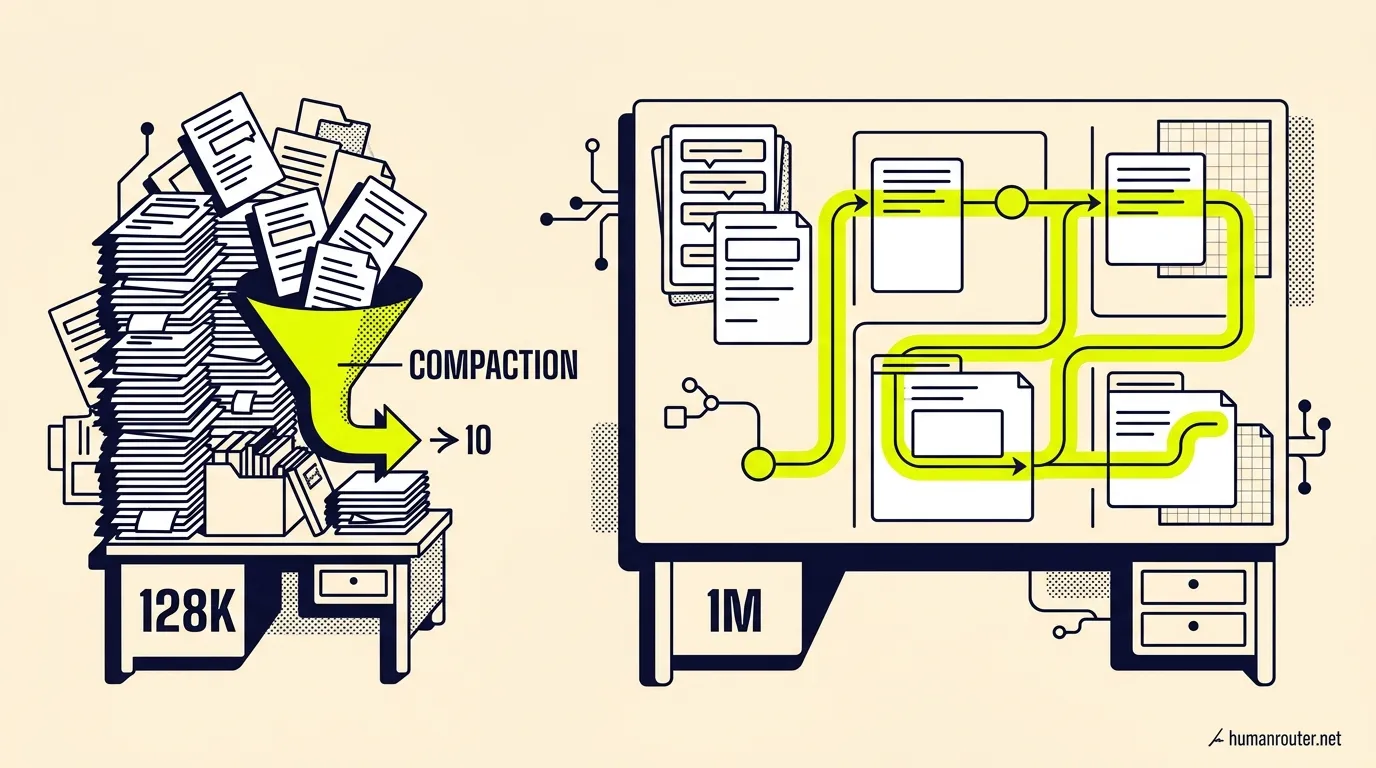
My old context window felt like a desk covered in papers. The 1-million-token window gives the conversation room to keep growing without constantly stopping to reorganize everything.
So far, I have not reached compaction while talking to PiNoy in Slack. The conversation can keep growing without the agent stopping to rewrite its own memory. It feels much smoother.
The speed matters just as much.
With my prior Qwen setup, a large prompt could take 1, 2, or a few seconds before I saw the first word. DeepSeek often starts a short Slack reply in around 100 milliseconds. Larger prompts can take a few hundred milliseconds. Those are my day-to-day observations, not a formal laboratory benchmark.
That small difference changes how I work. A 2-second pause is enough time to glance at another window. Then I see another task, switch projects, and lose the thread. When the agent responds almost immediately, I stay in the conversation.
I notice the same thing when I use Grok Build. The agent is fast enough that I sit down and work with it. With slower agents, I can end up moving between 5 projects while I wait for each one.
Researchers call this a switching cost. Studies have found that people become slower when they switch tasks, even when they know the switch is coming. More complex work creates a larger cost. The American Psychological Association has a useful summary of the research.
Fast agents may help us do less multitasking. That is a bigger change than shaving 2 seconds from a reply. The agent starts to feel like a person sitting next to you instead of a ticket you submit and check later.
There was 1 obvious problem.
DeepSeek is text-only. It cannot see an image.
How I gave a text-only model eyes
I still run Qwen3.6 27B on my Mac Studio. That model can read images.
Rather than replace Qwen, I gave it a smaller job. It became PiNoy’s pair of eyes.
Here is what happens when I send PiNoy a screenshot:
- PiNoy notices that the message contains an image.
- He sends the image to Qwen 27B on my Mac Studio.
- Qwen describes what it sees in text.
- PiNoy gives that description to DeepSeek.
- DeepSeek continues the job with the new information.
I tested this in Slack with real images. I also checked the logs on the Mac Studio. The image went to Qwen, the image tool returned a description, and DeepSeek used that description in its next response.
That gives me the best of both models.
DeepSeek handles about 99% of PiNoy’s normal work. Qwen steps in for the 1% that involves a screenshot, scanned document, or PDF page. I get DeepSeek’s stronger agent behavior without losing the image support I already had.
This is a pattern I expect to use more often. You do not need 1 model to be the best at everything. You can give each model the job it does well.
At this point, the daily experience was excellent. PiNoy was fast, the conversation stayed intact, and Qwen covered the missing vision ability.
Daily use can still hide weaknesses. A car can feel great on a quiet neighborhood street and fail when you take it to a racetrack. I wanted to see what happened when DeepSeek had to repair real code under strict rules.
That brought me back to Qwen.
Qwen was still a hard model to beat
My hope was that DeepSeek would beat Qwen everywhere.
It didn’t.
Qwen3.6 27B is much smaller. I had also spent months improving the Pi harness around it. That software keeps the model focused, stops bad loops, and checks whether the work is complete.
Qwen came to the racetrack with a car built around it. DeepSeek arrived with a much newer setup. That gave Qwen a real advantage. The first results measured both the driver and the car.
I ran DeepSeek against the same work I had already used to test Qwen. I did not give DeepSeek an easier exam.
Here is the simple version of what happened:
| Type of work | Qwen3.6 27B | DeepSeek V4 Flash | What I learned |
|---|---|---|---|
| 2 real client bug investigations | 46/100 average | 66/100 average | DeepSeek found the likely cause more often |
| Large repair job, run 1 | 225 of 259 checks passed | 169 of 259 | Qwen was more reliable on a wide-open job |
| Large repair job, run 2 | 229 of 259 | 222 of 259 | DeepSeek got close but did not win |
| Large repair job, run 3 | 229 of 259 | 240 of 259, invalid | DeepSeek changed a file outside the allowed work area |
Focused /goal repair | Not rerun | 250 to 259 of 259 | DeepSeek finished when the remaining job was clear |
The third DeepSeek run got a higher number, but I marked it invalid. It wrote a temporary file outside the safe work area. A model does not get credit for a good score when it breaks the rules.
This result changed how I think about DeepSeek.
When I gave it a large, open-ended job, it wandered. Qwen was steadier. When I gave DeepSeek a specific problem with clear limits, it was very good.
That difference explains almost every result I saw.
Then I improved the DeepSeek harness and changed how the controller handed it the work.
Instead of giving DeepSeek the whole broken codebase as 1 wide-open job, the controller gave it smaller groups of failures with a clear finish line. On that version of the same 259-check repair task, DeepSeek reached 259, 259, and 254 passing checks across 3 runs. Qwen’s earlier runs reached 225, 229, and 229.
DeepSeek beat the Qwen scores in all 3 of those harness-guided runs.
This comparison measures the whole system because the controller gave DeepSeek a clearer route. That is exactly the lesson. The model and harness work as 1 system. A better car can help the driver use more of its ability.
The later wide-open test still kept me honest. DeepSeek did not suddenly become perfect at vague jobs. The stronger harness made it excellent when the work had clear stages, safe controls, and an outside finish line.
The real client bug test
I also tested both models against 2 old bugs from a client where I implement AI services.
These were useful tests because I already knew what happened. I knew the real cause. I also knew which fixes reached production. I could compare the models against reality instead of judging whether their answers sounded smart.
DeepSeek averaged 66 out of 100. Qwen averaged 46.
DeepSeek was better at following the symptom through the code and finding the area that caused it. On 1 bug, it proposed a fix that passed all 43 focused checks.
Then GPT-5.6 reviewed the proposed fixes.
It rejected both models’ final answers because they missed safety details that mattered in production. In simple terms, the fix worked in the narrow test but could still fail in a less obvious situation.
That may sound like bad news. I think it shows the correct role for DeepSeek.
Bug work has several stages. Someone must read the report, reproduce the problem, find the likely cause, and suggest a fix. A frontier model can then review the exact change, look for rare failure cases, and decide whether the work is safe enough to move forward.
DeepSeek can do most of the expensive detective work at home. It can run for hours without using my paid frontier-model allowance. GPT-5.6 gets a much smaller and cleaner job at the end.
That saves time and tokens. It also keeps a stronger model at the point where mistakes become expensive.
/goal was the most promising test
Pi does not include /goal when you first install it. The command comes from an extension called pi-goal.
I forked that extension and made my version stricter and better suited to local models. I plan to publish it after I run more tests. This is another part of why I enjoy Pi. You start with a simple agent and build the workflow you want around it.
I think of pi-goal as the navigation system. You give it the destination instead of telling the driver every turn to make. It keeps the destination visible, checks the route, and refuses to say “the car arrived” until an outside check proves it.
With /goal, the agent can keep working toward that outcome for a long time. It stops only when the outside check proves that the job is done.
This is the feature I want for overnight work.
I gave DeepSeek a repair job with 9 problems left. The code started with 250 of 259 automated checks passing. DeepSeek had to find the last 9 problems and fix them.
It reached 259 of 259.
Then it checked the result twice and used the correct completion tool. The outside checker also confirmed that it did not weaken or remove any tests.
That was a major success for me. It showed that DeepSeek can finish a difficult job when the outcome is specific and the harness protects the process.
One of my favorite habits is to make a list of things I want to build or fix before I go to bed. Until now, I still had to think about which jobs could safely run without me.
This result changes that.
I can use a frontier model such as Claude or GPT to plan the work and make the important design decisions. Then I can give the approved plan to Pi with DeepSeek and let it write the code overnight. When DeepSeek finishes, an independent frontier model can review the exact work and all the checks. My preferred final reviewer is GPT-5.6. The job is considered done only after that final review passes.
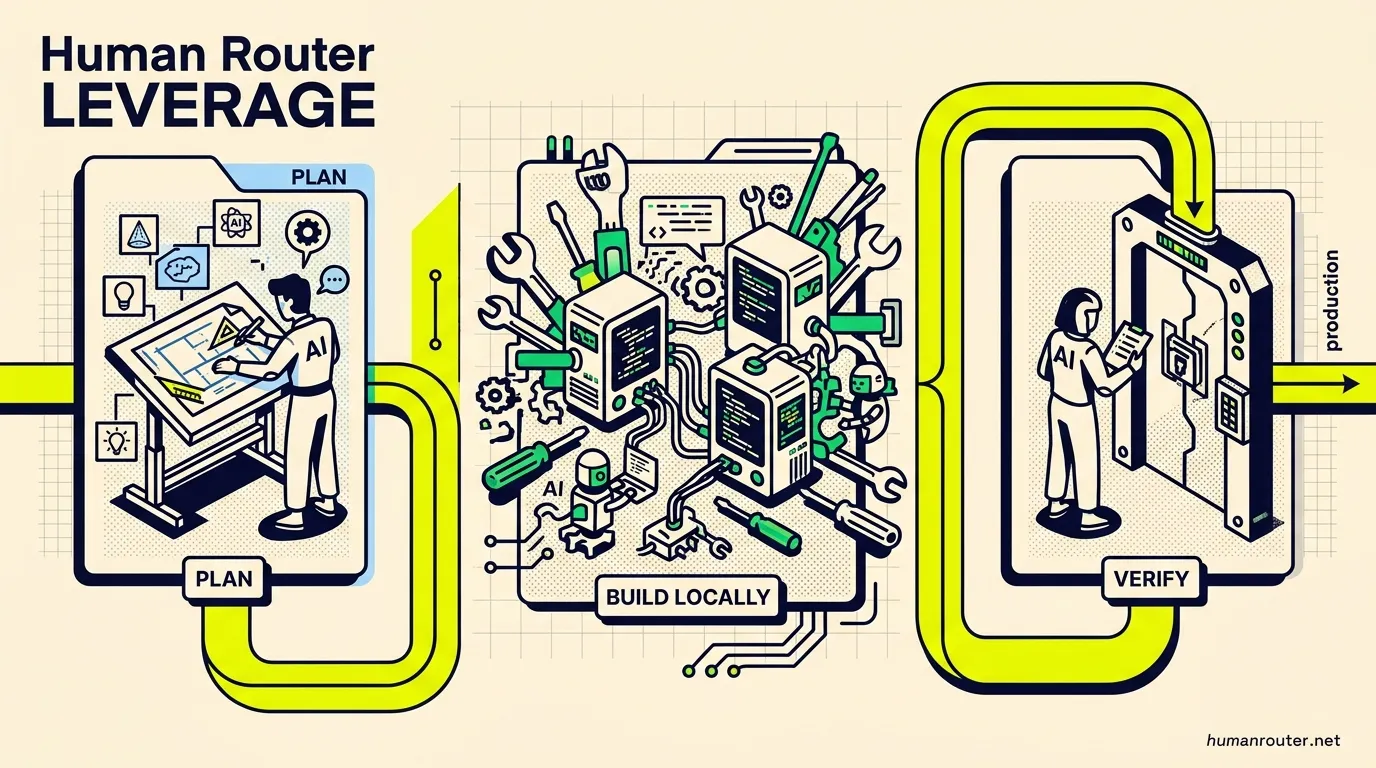
The workflow I want: use frontier intelligence for the important decisions, let DeepSeek do the high-volume work locally, then verify everything independently.
If the review finds a problem, the work goes back into the loop. DeepSeek never gets to approve its own work or send a change live.
That is an exciting workflow for me. I can go to sleep with a list of projects and wake up to completed work that has already passed an independent review.
I still need to compare /goal across more types of work. I want to test research, writing, data work, interruption, and resume. The coding result is strong enough that I am ready to use it for more overnight builds.
This may be the biggest lesson from the whole weekend. The model matters, but the system around the model can change its performance dramatically.
Where DeepSeek fits in my work now
DeepSeek is now my local workhorse.
I will use it for:
- Hermes agents such as PiNoy
- bug reports and root-cause analysis
- focused code changes with clear checks
- first drafts of possible fixes
- stable long conversations
- long jobs where local running cost matters
I will still use a frontier model such as GPT-5.6 for:
- planning a large feature
- choosing the system design
- finding rare failure cases
- frontend and visual design
- reviewing the exact proposed change
- deciding whether a change is ready for production
I have not tested DeepSeek enough for visual design. That also does not appear to be the model’s main strength. I will keep using Claude and GPT for frontend design work.
I am also moving stable long conversations away from Qwen 27B and onto DeepSeek. Qwen will stay available for images, PDFs, and as a backup. DeepSeek will handle most of my daily local work.
I use each model for a different role. DeepSeek does the high-volume work. Qwen gives it vision. A frontier model plans the difficult work and protects the final decision.
For an entrepreneur, that is the useful version of local AI. You do not need the local model to be the smartest model in the world. You need it to handle enough work that your best people and most expensive models only see the decisions that deserve them.
I published the experimental Pi harness
I have now published the experimental pi-local-harness extension on GitHub. It includes the reusable model support, safety controls, progress tracking, and automated checks. It does not include my network details, private providers, credentials, or client information.
The project is experimental. I use it on my own machines and test every change against frozen coding tasks. Other models, servers, and hardware can fail in different ways. Start in an isolated project and keep an outside test runner and frontier-model reviewer in the loop.
GitHub does not let me make only 1 folder in a private repository public, so I use 2 repositories:
- A private source repository for my full working setup.
- A public
pi-local-harnessrepository that receives only the safe, reusable files.
The private repository stays where I build and test. A release process copies only the approved public files into the public repository. This gives people something useful without exposing the parts that belong to my machines or clients.
I also plan to publish my experimental fork of pi-goal after I finish testing it with DeepSeek. The local harness helps the model use tools safely. The goal extension lets it keep working toward a verified outcome. They solve different parts of the same problem.
If you want to experiment with it, you can find the setup guide and before-and-after results in the public README.
I think local AI reached a tipping point
There are other open models with frontier-level intelligence. GLM-5.2 and Kimi K3 are 2 examples that I am excited about.
The hard part is running models like those yourself at a useful speed. Kimi K3 has 2.8 trillion total parameters and uses 104 billion of them for each piece of its answer. That requires a large amount of expensive hardware.
DeepSeek V4 Flash is much more practical for my setup. It has 284 billion total parameters but only uses 13 billion at a time. That helps explain why it can feel so fast on my 2 GX10s while still giving me strong answers.
Fast local models usually force you to give up too much intelligence. Intelligent local models often respond too slowly for normal conversation. DeepSeek V4 Flash gives me both speed and intelligence.
That combination is rare.
For the first time, I feel like I have frontier-level intelligence running locally that is fast enough to use all day. It can operate my Hermes agents, work inside Pi, use tools, repair code, and keep going through a long conversation without feeling like a science project.
That is why I am so excited about this model. The benchmarks are useful. The real proof is that I switched my daily agents to it and kept using them.
If you have 2 ASUS GX10 or DGX Spark systems, start with the MiaAI-Lab recipe. Get the model running first. Then test it on a real job you understand well.
Pick 1 repeated job that costs you time or frontier-model tokens. Give the local model a clear outcome, strict limits, and an outside check. That single test will tell you more than a leaderboard ever will.